Author: Ross Goodman

  • 100 Pushups – Take 2

    One Hundred Pushups

    OK This one really didn’t get a chance.

    The week I started, I ended up being away from home, then had a stressfull week following that.

    I’m starting this again today. Even if I just continually do week one, it will still do me good, right!

    Completed day one : Target = 28 Actual = 30 (but I’m sore already !)

  • Emma is on Flickr

    Emmas Flowers

    Emma has finally gotten around to registering on Flickr after years of me harrassing her to!

    She has uploaded some of the photos that she took for her photographic exhibition, have a look by clicking on the photo above.

  • Larkhall Orange Order Procession / March 5th July 2008

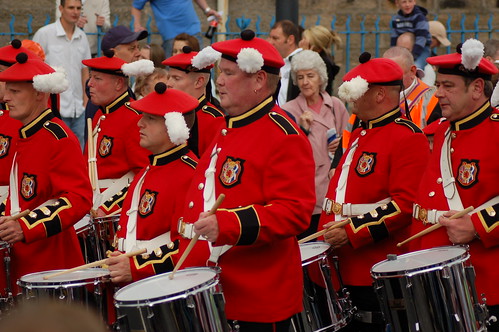
    DSC_7379

    Marching season is upon us. This year it was Larkhall’s honour to host a large procession.

    It was intermittently rainy but there were smiles everywhere. Quite a bit of staggering as well as the marching ! I never saw any trouble or raised voices.

    The police were out in force, I saw a few discrete conversations, but on they whole the police seemed to be in a fairly jovial mood too.

    (more…)

  • Calf Strain

    After completing the 10K for MND I foolishly stopped my training.

    I decided to restart it during the week, I stretched just as much as I normally did. I walked 5 times further for my warm up. I went for 1 mile: jog 4 walk 2. I had a long walk to warm down.

    I still managed to pull my right calf !

    This was something I had when i was training regularly, the only thing that helped was going for a weekly massage.

    I have changed the way that I walk so that I am stretching my calfs more and I feel a twinge with every step, this is helping me slightly but not “fast” enough. I want to get back out and do more.

    Any suggestions for “better” or “more appropriate” stretches that I should do?

  • My Camera Has Developed A Fault

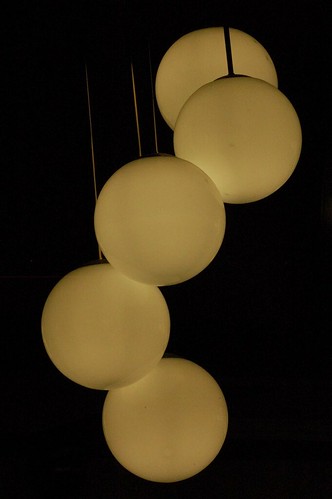
    DSC_7246

    See the two red dots and the red line?

    I’m currently investigating camera repair shops 🙁

    My camera is out of warranty.

  • School Prize Giving

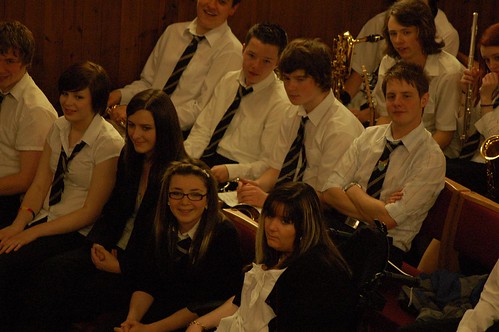
    DSC_7224

    Both Emma and Sarah were recently recognised for their hard work at school.

    They make me so proud!

  • Exhaustion Is

    • Falling asleep and no one can wake you.
    • Sitting on the edge of your daughters bed and falling asleep sitting up.
    • Keeling over onto the floor and falling asleep.
    • Waking up, not knowing what day it is; and not caring.
    • Trying to do 100 pushups; getting into position and falling asleep.
    • Making a cup of tea for the caffeine hit and falling asleep before the kettle is boiled.
    • Stopping at the motorway services for a snooze on the way home from work.
  • Quote Of The Week

    Thanks, thats “exactly” what we asked for, but “this” is what we want !

  • Microsoft Word 2007 Keyboard Shortcuts

    I use Microsoft Office 2008 on my work laptop. Whilst I am no touch typist; I wish I could take the productivity hit whilst I learn, I do prefer to use the keyboard for most functions, growling when I have to resort to using the mouse.

    I was torn by the ribbon interface; for 80% of the things that i want to do i can find it very quickly, the remaining 20% often required a trip to help to find it. Another thing that I hated was that I “had” to use the mouse to access the ribbon features.

    Then I pressed the “Alt” key !!!!!!!

    This pops up an overlay on top of the ribbon interface that shows you which key to press to access http://pharmacy-no-rx.net each feature. Or should I say, EVERY feature. If you can see it on the ribbon, you can access it via a keystroke. I’m beginning to like this user interface.

    The remaining bugbear is that I always use styles, nost commonly the heading styles and normal. In the previous version of Word I always assigned my own keystroke shortcuts to access them, but I was always over riding exisiing keystrokes and features.

    In Word 2007 I have found that there are system assigned keystrokes:

    Ctrl + Alt + 1 = Heading 1

    Ctrl + Alt + 2 = Heading 2

    etc

    Strl + Shift + N = Normal

    Productive typing here I come !

  • Getting Things Done

    A happy coincidence, at the beginning of the year, I read an article, I think it may have been on LifeHacker about the concept of a “zero state” inbox. Basically, keep your inbox empty, file all e-mails as soon as they appear and create tasks for anything you can’t do there and the.

    Now I realise that this is the basic premis of Getting Things Done (GTD) by David Allen.

    (more…)