Last weekend I wrote about the watchdog that now writes its own investigation tasks when a regression test on the Pi starts failing, so that Claude Code picks them up without me being the messenger. I finished that post by saying nothing had failed since it went in, so no real investigation task had been raised yet.
That turned out not to be true. The first real one had been raised just before midnight the night before the post went out. I just hadn’t noticed it yet. This post is about that task: what broke, what Claude found, why it stopped and asked me rather than fixing it, and what the fix ended up being.
The feature that broke
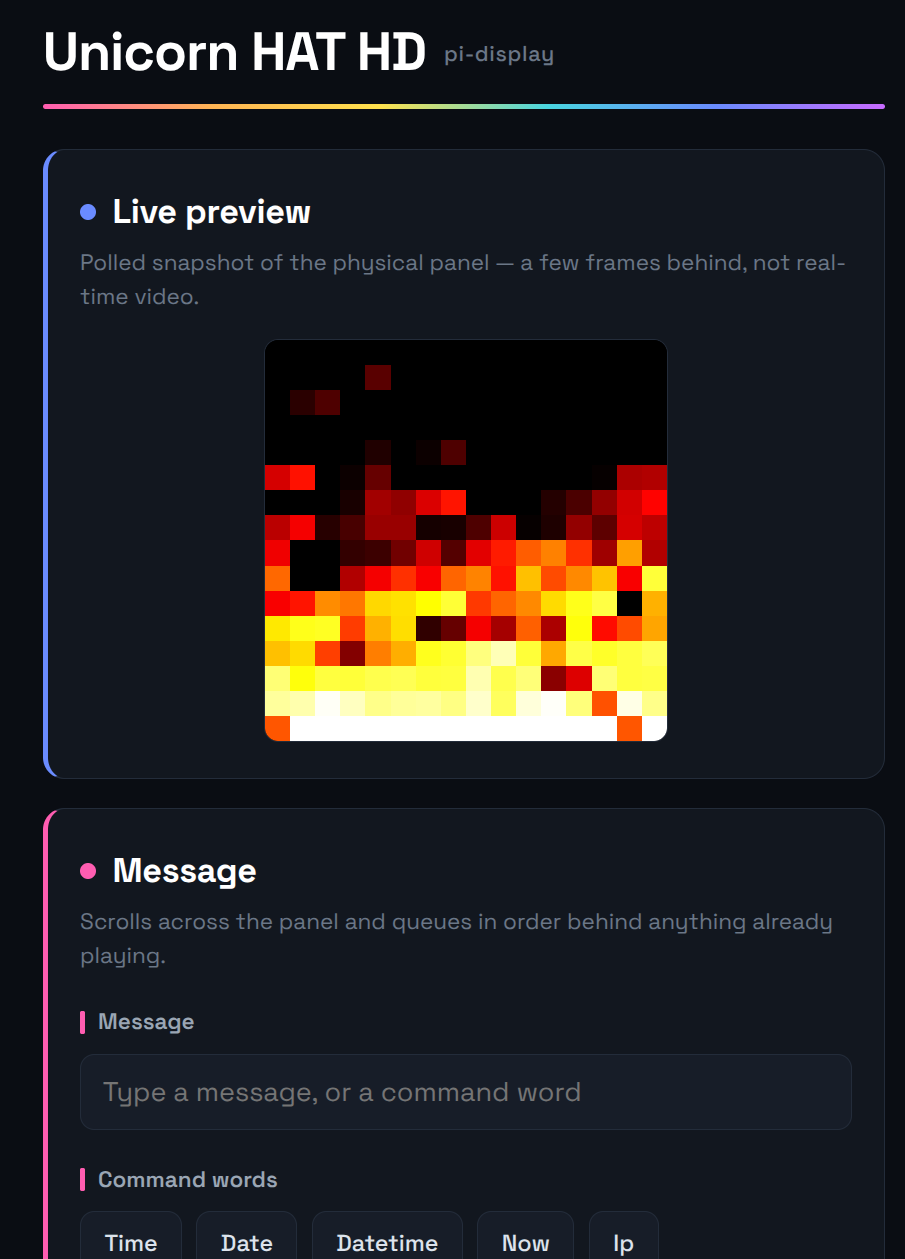
The failing check belonged to one of the sillier things I’ve built. The Pi Zero in the house with a Unicorn HAT HD LED matrix has a small web control page, and in September I added an “Aircraft overhead” button to it. Press it, and the panel scrolls the closest plane currently in the sky near home, something like:
EAI55SK · AT76 · EDI→DUB · 8200ft · 8.5mi ESE

That’s the callsign, the aircraft type, the route, the altitude, and the distance and compass bearing from home. It was built in a few steps:
- The aircraft data comes from free community ADS-B feeds, run by volunteers with receivers. adsb.lol was the main feed, with adsb.fi as the fallback if it errored. (My first choice, airplanes.live, now refuses requests unless you register.)
- The radius started at 5 miles, which mostly produced “No aircraft within 5 mi”, so a day later it went up to 10.
- The route isn’t part of the ADS-B signal at all, only the callsign is. So the route is looked up separately against adsbdb.com, a free community database of airline schedules, and simply left out if there’s no match.
It lives in RailData, the Flask app on the Pi that has become home to most of my small odds and ends, and like everything else it has regression tests. One of them simply asks the aircraft endpoint for an answer and expects to get one within the suite’s 20-second limit.
Saturday night, 23:20
Here’s how it played out, using the timestamps in the task note and the logs:
- 23:20. The aircraft check failed for the first time. The test got an empty response instead of an answer.
- 23:34. It failed again on the next run. Two failures in a row is the rule for a failure counting as real, so the watchdog wrote an investigation task into the vault’s Inbox folder.
- Just before midnight. InboxProcessor picked the task up, Claude Code investigated, wrote up its findings, and marked the task as blocked, waiting for me.
- Sunday evening. I read it, wrote down my decision, and the fix went in shortly after 20:20.
Nothing was emailing me every 15 minutes in the meantime, which was exactly the point of last week’s changes.
What Claude found
The investigation was good, and I mean that in the sense that it went past the symptom. The service itself was healthy: running, no errors, every other check passing. The problem was upstream.
- The main feed had become very slow. Timing adsb.lol directly from the Pi gave 11 seconds, then a time-out at 20 seconds, then a time-out at 40 seconds with nothing back at all, then 23 seconds, then 4. Over the same period adsb.fi answered in under a fifth of a second.
- The fallback worked, but too late. Each request waited out adsb.lol’s 8-second timeout before trying adsb.fi, and then the route lookup ran on top of that.
- The timeouts didn’t mean what they looked like. This was the subtle bit. Python’s
urlopentimeout applies to each socket operation, not to the whole request, so a server that sends data very slowly can keep a request going well past the number in the code. Add up the feed, the fallback and the route lookup, and the worst case was over 20 seconds. - Only the first request was slow. The logs showed the first aircraft request in each failing run taking around 23–25 seconds, and the ones after it finishing almost together, because by then the cache had been filled.
Re-running the RailData tests on their own, everything passed. Claude pointed out that this was only because adsb.lol happened to fail quickly that time, and that it would probably keep flapping for as long as the feed stayed slow.
Was the test wrong?
The task tells Claude to consider whether the test is the problem, because a few failures over the summer were false positives. Its answer here was “not really”. A 20-second limit isn’t unreasonable: anyone pressing that button on the control page would also have been waiting 20 seconds or more. The test was reporting a real problem, it just happened to be one caused by somebody else’s server.
That mattered, because the easiest way to make the failure go away was to give that one check a longer timeout. Claude listed that as an option, and recommended against doing it on its own because it would hide real slowness. That’s the rule I care about most, never weaken a test to hide a real fault, being followed when it would have been the quick way out.
Why it stopped and asked
The watchdog’s task defines a simple fix quite narrowly, and one of the things that rules a fix out is “more than one plausible fix”. This had four:
- Swap the feeds, so the fast one goes first. A one-line change, but it moves the load and the dependency onto adsb.fi.
- Cap the total time, with a shorter timeout for the main feed and an overall deadline, or query both feeds at once and take the first good answer.
- Skip the route lookup when time is short, so it can’t add its few seconds on top of a slow fallback.
- Only relax the test, which it didn’t recommend.
It suggested the first two together, changed nothing, set the task to blocked and left it in the Inbox with a Findings section and a Blocked section. That is precisely the behaviour I’d asked for, and it’s also what I’d have wanted from a person: here’s the evidence, here are the options, here’s what I’d do, your call.
My part was one line. I added a Decision heading to the task note saying “Implement option1 and 2”, and put it back in the queue for InboxProcessor to pick up.

The fix
- adsb.fi is now the main feed, with a 4-second timeout, and adsb.lol is the fallback with 8 seconds.
- The whole lookup has a hard deadline of 10 seconds by default, covering both feeds and the route lookup together. Because
urlopen‘s own timeout can’t be trusted to stop a slow trickle of data, each request now runs in a background thread and the code only waits for it until the deadline. If it isn’t finished by then, it’s abandoned. - The route lookup is skipped if there’s less than a second left, and that skip isn’t cached, so the route is tried again next time.
It went in the same way as any other change: a commit pushed to the RailData repository, the README updated, the service restarted at a time that didn’t clash with any of the scheduled jobs, and a changelog note in the vault with instructions for reversing it.
The results were what I’d hoped for. A fresh request came back in about 0.35 seconds from adsb.fi. With both feeds deliberately made unreachable, the request gave up after exactly 10.0 seconds and still answered with a sensible error rather than hanging. The full regression suite passed: 43 components passed, none failed, and 3 were skipped. Then I got one email with a subject starting “Fixed:”, and the task was archived.
What I’ve learned
- Blocking is a good outcome. I’d half expected the first real case to be a test false positive or a container that needed a restart, something Claude could just fix. Instead it was a genuine judgement call, and the most useful thing it did was stop and lay out the options rather than pick one for me.
- The investigation is the valuable part. I’d never have timed the feeds at midnight. By the time I looked on Sunday the root cause, the evidence and a recommendation were all written down in the task, and my contribution took seconds.
- Free services can change under you. Nothing in my code changed to cause this. A volunteer-run feed got slow, which is entirely fair for something I don’t pay for, and the right response was to stop depending on it being fast.
- A timeout isn’t a deadline. I’d have assumed an 8-second timeout meant a request couldn’t take longer than 8 seconds. It can. If something has to answer within a time limit, the limit needs to be enforced around the whole thing.
- Check before you say “nothing yet”. Last week’s post said no real task had been raised. One had, about thirteen hours before it was published. I’ll take the correction.
A note on how this post was written: it was drafted by Claude Code, which went through the investigation task note itself, the RailData repository’s code and git history, the InboxProcessor history and the changelog notes in my vault, so that the timeline and numbers here could be checked against what actually happened. Claude also chose the two photos from my Flickr account. It wrote the draft into WordPress as a draft through the WordPress API, and I then reviewed and edited it before publishing.