Business Objects – Best Practice – Universe Design
The purpose of this document is to provide a description of what I consider to be best practice when designing a Business Objects Universe. We will also describe the reasoning behind the suggestion.

The purpose of this document is to provide a description of what I consider to be best practice when designing a Business Objects Universe. We will also describe the reasoning behind the suggestion.
My sister in law Lynne just sent me this:

Spotted this cheeky little gift set in Haddows, Copland Road, Govan last night – the guy at the counter says they sell like hot cakes!
A bottle of Buckfast, 20 Mayfair and a packet of skins – you couldn’t make it up! BUCKY GIFT PACK ONLY £9.08

I’m a big fan of Remember The Milk (RTM) and David Allen’s Getting Things Done (GTD).
The one concept that I have been missing in the whole process is how to set reminders for following up emails.
I regularly use a waitingfor tag and a tag for each persons name but my habit of actually creating the task is not quite there yet.
The habit is no longer needed now.
I have “discovered” that from RTM | Settings | Info there is an “Inbox EMail Address”. For any e-mail I want to chase I simply BCC the message to this address and it creates a task in my inbox. The body of the message goes into a note attached to the task.
All I have to do then is move it to the appropriate list and set any tags or due date.
I would recommend using BCC, if anyone discovers your inbox e-mail address then they will be able to create tasks in your inbox too!
 http://www.wordle.net/
Rather than setting resolutions I set myself goals this year.
The first one of these was:
“Jog For One Mile – No Stopping – No Pain”
Tonight I managed just that.
Next goal, complete the MND Scotland 10K Fun Run.
I completed this last year but there was more walking than jogging, this year WILL be different.

As of today the “Scottish Motor Neurone Disease Association” have rebranded to become “MND Scotland”.
Their new web site can be found here.
New Identity for the Scottish Motor Neurone Disease Association
The new name and logo reflect the organisation’s values by putting those affected by Motor Neurone Disease (MND) in Scotland first. The logo contains a blue ‘Cornflower’ icon that is easily recognisable and was chosen as it signifies hope for the future. The Cornflower is a hardy, wild flower native to Scotland and countries where it survives in the most challenging environments. The Cornflower reflects the resilience of people affected by MND – as they face up to the challenges of life.
No New Years Resolutions, just a revisiting of the fitness regime I started last year.
It’s late so just a quick update.
I have started week 1 of both One Hundred PushUps and Two Hundred SitUps.
I have also had my first jog in over four months. I went back to my patented “lamp-post method”: jog for one lamp-post, walk for one. I managed to complete a mile in 20 minutes. I have suddenly remembered how much I love being out in the middle of the night. Watching a fox hunt in the field beside the road before I start.
Just a quick summary of my on-line presence this year.
I have invested a lot of content to Twitter this year.
This is primarily due to the convenience of the platform racking up almost 1200 updates in the year here.
I can’t find a way to get stats for the year so here are my top five photos:
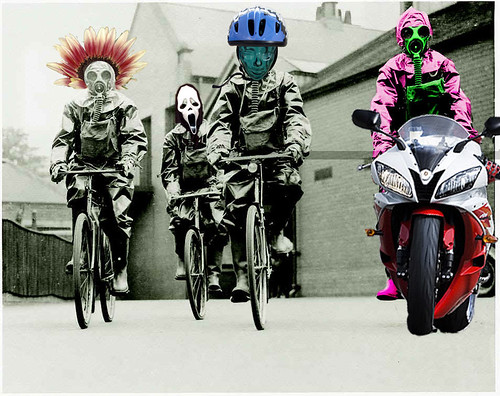


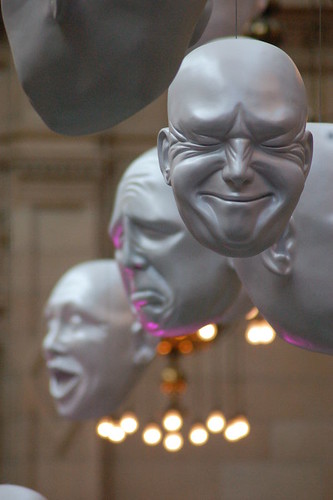

By far the most popular post on the site was the photos page here.
Second most popular page is the “About Me” page here.
As for the blog entries themselves they rank at:
1 – Business Objects XI 3.0 New Features – Conditional Prompts
2 – Crystal Xcelsius – Filtered Rows From A Filter Component
3 – Modelling Change In Your Dimensions
4 – Business Objects XI 3.0 New Features – Change Data Tracking
5 – Dimensional Modelling – Facts
As you can see here the site only really started getting traffic last January so that gives me 17300 page views.

Obviously the biggest news of the year was the passing of my daughter Emma.
Celebrating the Life of Emma Berry Goodman
And the year ends on another low point with the passing of another member of my extended family.
George Miller – Footballer | 1939 – 2008
As usual the WordPress upgrade was a flawless experience. It ran with no errors.
I’d love to say that my site is working perfectly, but it’s not.
I have this weird error where the visual editor does not work.
If I click on the “Visual” button, then the text editing box shrinks down until you cannot see it.
Click the HTML button, the same thing happens.
The only thing that I can get to work is; from the user settings, disable visual editing, then the HTML editor works as expected.
I used the wp-upgrade addin to automatically upgrade, no errors, but no visual editing.
I then did a fresh install, on the same host, using the same database, just with a different table prefix. Everything worked fine.
I then backed up all of my files, deleted the old site, copied the new one in it’s place. I then copied the relevant folders back from my old site, wp-content.
Same result, no visual editor.
This was the last thing I imagined i would write about when I set up this site but….
Elaine and I were out shopping in Glasgow last weekend and decided to treat ourselves to a nice meal out. We were walking past the Thai Lemon Grass and thought we would give it a go.
I was recently asked by a customer what steps we take to secure their files. I always use TrueCrypt to encrypt all customer files. This is an overview of how you can use TrueCrypt.
TrueCrypt gives you the ability to store information in a hidden partition that is secure from prying eyes.
Just as importantly the software is easy to use, being almost seamless in use.